
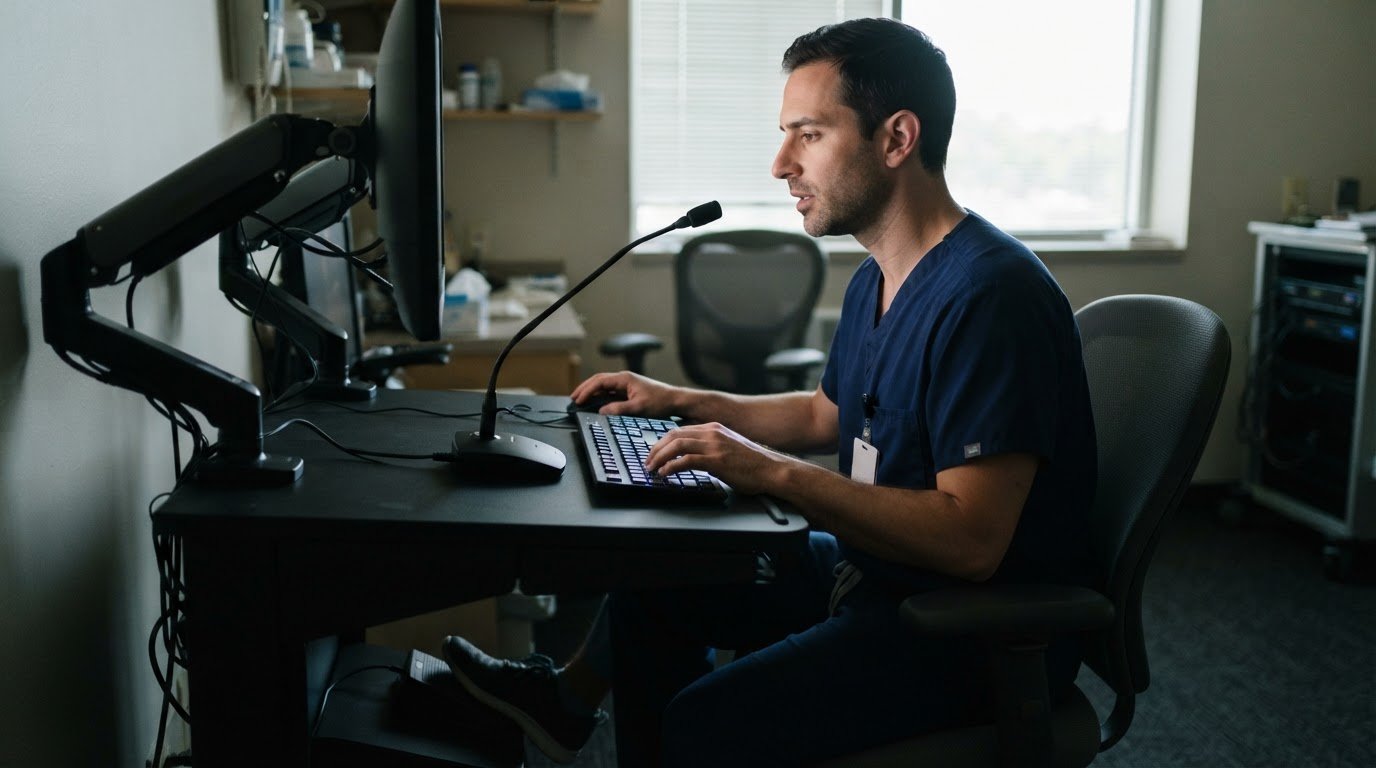
The fastest dictation workflow isn’t simply the one that types quickest. Speech recognition can reduce report turnaround time: in one academic radiology department, average turnaround fell from 28 hours to 12.7 hours after front-end speech recognition was adopted. Radiology voice recognition software can also reduce manual data entry, but speed depends on how accurately it captures findings and how smoothly it fits the reporting workflow.
Faster reports matter, but accuracy matters just as much. A misheard term, measurement, or laterality can change a report’s meaning, so radiologists still need to review and finalize the text.
This comparison explains how radiology voice recognition software affects accuracy, dictation speed, report turnaround, and structured-template population. You’ll see how real-time recognition and template filling can streamline reporting, what trade-offs to consider across different approaches, and how to judge a system by its fit with your imaging workflow.
Key Takeaways
- Build proofreading into the reporting workflow, with focused checks for laterality, measurements, findings, and the final impression.
- Compare dictation approaches by how they fit your practice, existing systems, and reporting needs.
- Measure turnaround across the full workflow, separating time to sign a report from time to deliver it.
- Explore how real-time recognition and structured templates can reduce repetitive entry and support more consistent reports.
How Accurate Is Radiology Speech Recognition?
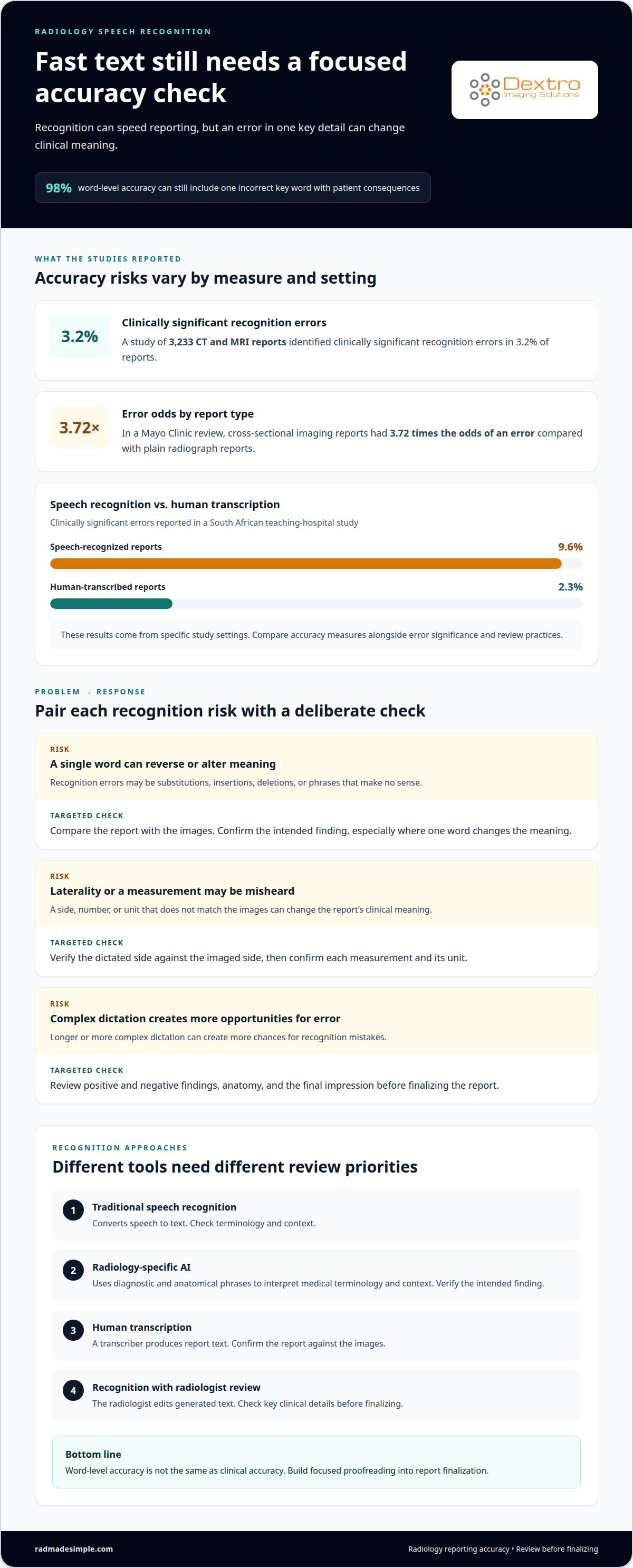
Radiology speech recognition can produce reports quickly, but accuracy depends on terminology, context, and careful review. A study of 3,233 CT and MRI reports identified clinically significant recognition errors in 3.2% of reports.
AI Dictation and Traditional Recognition
Traditional speech recognition converts spoken dictation into text. Radiology-specific AI can use diagnostic and anatomical phrases to interpret medical terminology and context, helping distinguish specialized words. The technology has supported radiology reporting for more than two decades, while newer AI approaches add context-aware processing. Neither approach removes the need to review the final report for meaning.
Accuracy Checks and Proofreading
Proofreading should focus first on details that can change clinical meaning. Compare the report with the images, then check laterality, positive and negative findings, anatomy, measurements and units, and the final impression. For example, confirm that a dictated side matches the imaged side and that a measurement appears with the correct unit. This targeted review is more useful than relying on a general impression of accuracy.
Recognition Errors and Radiologist Review
Recognition errors include substitutions, insertions, deletions, and phrases that make no sense. In a Mayo Clinic review, cross-sectional imaging reports had 3.72 times the odds of an error compared with plain radiograph reports. Longer or more complex dictation can also create more opportunities for recognition mistakes. Radiologists should review and correct the text before finalizing it, especially where a single word changes a finding.
Accuracy and Clinical Errors
Word-level accuracy does not equal clinical accuracy. Even a report that is 98% accurate can contain one incorrect key word with patient consequences. A South African teaching-hospital study reported clinically significant errors in 9.6% of speech-recognized reports, compared with 2.3% of human-transcribed reports. These findings come from specific study settings, so compare accuracy measures alongside error significance and review practices.
| Approach | Recognition method | Review priority |
|---|---|---|
| Traditional recognition | Converts speech to text | Check terminology and context |
| Radiology-specific AI | Uses diagnostic and anatomical phrases | Verify the intended finding |
| Human transcription | Transcriber produces report text | Confirm report against images |
| Recognition with radiologist review | Radiologist edits the generated text | Check key clinical details |
Choose a system that matches your case complexity, and build focused proofreading into report finalization.
What Is Dictation in Radiology?
Radiology dictation software turns a radiologist’s spoken observations into digital notes that can be edited and finalized as reports. In the United States, compare radiology-specific recognition, general medical dictation, traditional transcription, and AI-assisted drafting. The right fit depends on your workflow and integration needs.
| Option | How it produces reports | Best comparison criteria |
|---|---|---|
| Radiology-specific recognition | Transcribes imaging vocabulary | Terminology and PACS or RIS integration |
| General medical dictation | Captures clinical speech | Vocabulary and editing effort |
| Traditional transcription | A human transcribes dictated notes | Turnaround and correction workflow |
| AI-assisted drafting | Uses spoken input to prepare report text | Structured reporting and review controls |
| Enterprise reporting | Supports shared reporting workflows | Consistency across teams and systems |
Test each option with representative cases before choosing. Dictate examples with abbreviations, anatomy, measurements, and negative findings, then edit the reports. Note where users correct vocabulary, change the format, or repeat information. Also test integration with existing PACS and RIS workflows, since extra steps can reduce the value of faster dictation.
For an individual radiologist, prioritize quick access to personal vocabulary and familiar templates. A larger enterprise may value consistent report formats and shared structured reporting. In either setting, compare the effort required to correct findings, finalize reports, and send them to the intended destination. A focused trial reveals whether the workflow suits actual imaging cases.
Pricing varies by deployment, user requirements, integration needs, and included features; the price depends on the case and is provided after a quote request. For dictation involving protected health information, assess whether a business associate agreement covers the specific product, plan, and configuration. HIPAA-related privacy considerations should be part of that review before dictating patient information.
Choose the option that fits your reporting scale, vocabulary, and system connections. For broader radiology workflow planning, consider how dictation fits alongside image review and report delivery.
Does speech recognition reduce report turnaround time?
Yes. Front-end speech recognition can shorten radiology reporting by reducing manual data entry and moving reports toward completion sooner. In one community practice, median turnaround fell from 24 hours to 1 hour after adoption. An academic department reduced its average from 28 hours to 12.7 hours. These results show workflow potential, not a universal time saved.
For an individual radiologist, the practical workflow is direct: open the study, review the images, dictate findings in context, edit the draft, and sign. Hands-free dictation integrated with image review can reduce app switching. A consistent sequence also helps independent and locum radiologists move between clinical environments without relying on memory for each reporting step.
System connections determine how smoothly reports move. Radiology dictation can integrate with image viewers, letting radiologists review imaging while speaking. Worklists may receive study information through HL7 ORM messages and DICOM or HL7 messages. Signed reports commonly reach EHRs through HL7 ORU integration; FHIR DiagnosticReport offers an API-based alternative. These connections support patient and study context as work moves from imaging to report delivery.
Measure efficiency across the whole workflow, not just dictation speed. Track study-complete-to-signed time separately from signed-to-delivered time. This shows whether delays occur during interpretation and reporting or after signature. A system may accelerate report creation, while delivery depends on integration and routing. When comparing a vendor’s workflow, test a representative case from image selection through final delivery.
- Individual workflow: Check how dictation, image review, editing, and signing fit together.
- Independent or locum work: Prioritize clear navigation and consistent steps across work settings.
- Efficiency review: Compare signing time and delivery time as separate measures.
Choose integrations that preserve study context and reduce handoffs, then assess turnaround across the complete reporting path.
Real-time voice recognition and structured-template population
Real-time recognition displays text as a radiologist speaks, making corrections possible during dictation. Some dictation software also adapts to a radiologist’s speech patterns and recognizes frequently used phrases. Together, these features can reduce repetitive typing while keeping the radiologist in control of the clinical report.
Structured templates organize findings into defined sections instead of leaving every report as free text. Platforms may support RSNA RadReport, BI-RADS, and Lung-RADS templates. A radiologist can dictate into the appropriate section, then review how the spoken information appears in the report format before signing.
Measurement entry shows how recognition can populate structured fields. For example, software can extract a dictated kidney measurement of 11.2 by 4.8 centimeters and place it in measurement fields. The radiologist still needs to confirm the anatomy, values, units, and placement. A correctly recognized number in the wrong field can still make the published report misleading.
Evaluate the feature with representative cases. Dictate a common study using the practice’s preferred phrases, then test an atypical finding and a measurement. Check whether each statement lands in the intended template section, whether corrections are straightforward, and whether the final report preserves the radiologist’s meaning. Include both routine and complex cases, since a template that fits one examination may not suit another.
- Phrase handling: Test frequently used terms and speech patterns.
- Field population: Confirm findings, measurements, and units appear in the correct locations.
- Template fit: Compare the resulting report with the practice’s clinical format.
- Final review: Read the complete report before signing or publishing it.
The key distinction is between generating structured text and validating its meaning. Treat automatic population as a drafting aid, then review every populated field before signing the report.
Dextro Imaging Solutions: Radcom Compact
Radcom Compact is an offering from Dextro Imaging Solutions for imaging teams assessing their radiology technology setup. After comparing dictation workflows, consider how reporting connects with the broader reading environment. Dextro Reading Stations, PACS Harmony, and aycan PACS are also options to consider when reviewing related imaging needs.
Consider Radcom Compact as part of your workflow planning. Bring priorities such as report creation, image review, and system integration into the discussion so it stays grounded in your operational needs. Assess how the product fits alongside your existing processes, rather than assuming one tool resolves every reporting challenge.
Contact Dextro Imaging Solutions to discuss Radcom Compact and your radiology workflow needs.
Plan Your Next Workflow Step
Use your evaluation to define what an improved reporting workflow should support in daily practice. Map how spoken reporting fits with image review, report handling, and your team’s working environment. Then assess radiology voice recognition software against those operational priorities, rather than treating dictation speed as the only measure of fit.
For imaging technology needs, Dextro Imaging Solutions offers Radcom Compact and Dextro Reading Stations. These products can inform a broader discussion about the tools used across your imaging workflow.
Bring your priorities and workflow questions to contact Dextro Imaging Solutions. A clear plan helps your team move toward a reporting setup that supports its clinical work with confidence.
Frequently Asked Questions
Does voice recognition cause laterality errors?
Voice recognition can appear in reports with laterality errors, but a review of 2,923,094 reports found it did not affect rates of major laterality discrepancies. Corrected laterality errors occurred in 0.055% of reports, and major corrected errors in 0.0019%. For a practical safeguard, compare the dictated side with the imaging study and order before signing, especially when findings are asymmetric.
How Do AI Dictation Tools Compare to Traditional Speech Recognition?
AI dictation can use context and medical terminology, while traditional recognition primarily converts spoken words into text. Speech recognition has been used in radiology reporting for more than two decades; AI-first reporting platforms emerged after 2022. Compare how each handles specialty vocabulary, editing, and report structure using the same representative cases. The useful difference is the correction effort and workflow fit, not the technology label alone.
What is radiology voice recognition software and how does it work?
Radiology voice recognition software converts a radiologist’s spoken observations into report text through speech-recognition models trained or configured to handle medical language. The radiologist speaks findings, reviews the displayed text, makes corrections, and finalizes the report. For example, dictating a finding while viewing its image gives the report context. The system supports documentation; the radiologist remains responsible for the finished clinical report.
How do leading radiology voice recognition platforms compare in features and accuracy?
Compare platforms by specialty vocabulary, real-time text display, structured-template support, integration options, and editing workflow. RadVoice is an AI-powered voice dictation option. To compare accuracy fairly, dictate the same mix of routine and complex cases in each system, then record correction types and review time. Vendor-reported word accuracy alone won’t show whether clinically important details appear correctly in the final report.
How much does radiology voice recognition software cost, including licensing and implementation?
Pricing depends on the case and is provided after a quote request. Cost factors include the licensing model, number of users, implementation scope, integration work, and ongoing licensing or support arrangements. A deployment connected to existing PACS, RIS, and EHR workflows may involve different setup needs from an individual dictation workflow. Compare total licensing and implementation requirements, not just the initial software charge.
How accurate is speech recognition for radiology reports, and what affects accuracy?
Vendor-reported word accuracy for trained users typically exceeds 99%, but word accuracy isn’t the same as clinical accuracy. Specialty vocabulary, speech patterns, report complexity, and length can affect recognition. In one cited study, each additional word raised the likelihood of a speech-recognition error by 0.1%. Test with representative reports and assess both text corrections and whether the final meaning remains intact.


