

What if the right display for tomosynthesis isn’t defined by one resolution number? It’s understandable to look for a single specification, especially when diagnostic consistency matters. But display requirements for tomosynthesis depend on more than the monitor: applicable regulations and accreditation criteria, image presentation, quality control, and the complete reading workstation all shape the decision.
This guide separates formal requirements from practical recommendations and offers a structured way to assess whether a setup supports consistent interpretation. You’ll learn which display characteristics to compare, how manufacturer guidance and quality assurance fit into the evaluation, and what to document when planning a workstation.
We’ll also cover how to evaluate the monitor alongside viewing conditions, workstation components, and ongoing QC. For imaging teams planning an upgrade, Dextro Imaging Solutions offers advanced diagnostic monitors and Dextro Reading Stations to consider as part of a complete diagnostic setup. Evaluate any configuration against the criteria that apply to its intended use.
Key Takeaways
- Assess display requirements for tomosynthesis in the context of jurisdiction, accreditation, modality, and intended clinical use, rather than relying on a universal specification.
- Compare resolution, pixel pitch, luminance, grayscale presentation, uniformity, and viewing conditions as parts of one image-quality assessment.
- Review documented specifications and DICOM GSDF support, then verify calibration targets against applicable guidance and local quality-assurance procedures.
- Use a structured verification process: define intended use, review guidance, check specifications, calibrate, test, and document results.
- Evaluate the monitor, display configuration, and reading station together to plan a workstation that supports the clinical workflow.
Display requirements for tomosynthesis: what teams need to distinguish
DBT display suitability isn’t determined by one monitor specification. It depends on the equipment, its configuration, and whether quality control confirms consistent performance for its intended use. Digital breast tomosynthesis reconstructs a series of image slices from multiple projections, which clinicians review alongside other breast imaging views. This Digital Tomosynthesis (DTS) overview provides broader context on the technology and its applications.
Start by defining the display’s purpose. A screen used for primary diagnostic interpretation has a different role from one used for teaching, consultation, or administrative tasks. Performance criteria and verification procedures may vary accordingly. There isn’t one threshold for every setting: relevant criteria depend on jurisdiction, accreditation, modality, clinical use, and local policy.
What counts as a requirement?
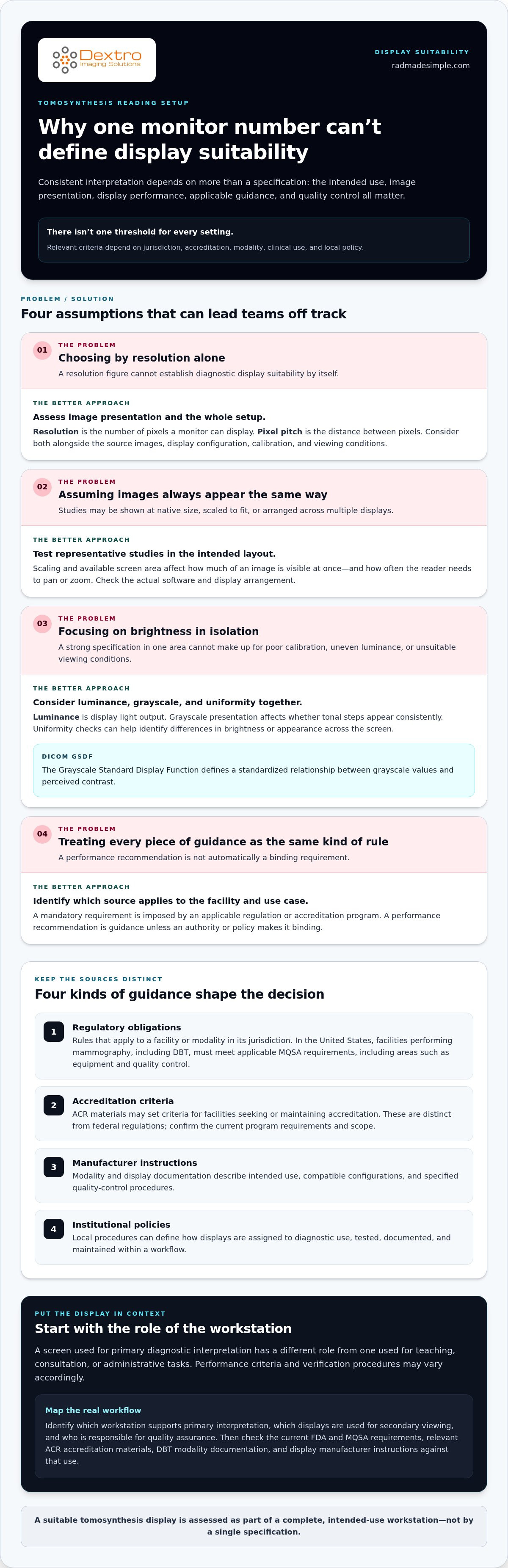
Separate these four types of guidance. They are not interchangeable:
- Regulatory obligations: Rules that apply to a facility or modality in its jurisdiction. In the United States, facilities performing mammography, including DBT, must meet applicable MQSA requirements. These cover areas such as equipment and quality control. Check current FDA materials for the precise obligations.
- Accreditation criteria: ACR materials may set criteria for facilities seeking or maintaining accreditation. These are distinct from federal regulations, so confirm the current program requirements and their scope.
- Manufacturer instructions: Modality and display documentation describe intended use, compatible configurations, and specified quality-control procedures. Follow the instructions that apply to the equipment and setup.
- Institutional policies: Local procedures can define how a display is assigned to diagnostic use, tested, documented, and maintained within a particular workflow.
A mandatory requirement is a condition imposed by an applicable regulation or accreditation program; a performance recommendation is guidance for achieving a suitable result, unless an authority or policy makes it binding. This distinction helps teams avoid treating a common specification as a universal legal rule, or overlooking a binding criterion because it appears in technical guidance.
Which guidance should an imaging team consult?
Start with current FDA and MQSA requirements, then review the relevant ACR accreditation materials, the DBT modality’s documentation, and the display manufacturer’s instructions. Check the exact wording and applicability before labeling a display criterion mandatory. A recommendation for one configuration or use case may not apply to another.
Next, map the guidance to the actual workflow. Identify which workstation supports primary interpretation, which displays are used for secondary viewing, and who is responsible for quality assurance. This gives the team a clear basis for evaluating the setup and identifying which criteria apply to each display.
Which display characteristics matter when reading tomosynthesis?
Evaluating display requirements for tomosynthesis means looking beyond headline resolution. DBT interpretation depends on how source images are rendered, whether tonal differences remain visible, and whether the workstation supports a consistent viewing process. A strong specification in one area can’t compensate for poor calibration, uneven luminance, or unsuitable viewing conditions.
Resolution, pixel pitch, and image presentation
Resolution is the number of pixels a monitor can display. Pixel pitch is the distance between pixels and helps indicate how finely details can be rendered at a given screen size. Together, these characteristics affect how images appear, but they don’t determine how much detail exists in the original study.
DBT studies contain reconstructed slices and may be viewed alongside other images. Depending on the software and workflow, images may appear at native size, be scaled to fit, or be arranged across multiple displays. Scaling and available screen area affect how much of an image is visible at once and how often the reader needs to pan or zoom. Test representative studies using the intended software and layout. Note whether images are displayed as expected and whether the reader can navigate them efficiently. Don’t assume a universal resolution minimum applies unless a current requirement covers that specific use.
Resolution alone cannot establish diagnostic display suitability; the source images, display configuration, calibration, and viewing conditions all affect what the reader sees.
Luminance, grayscale, and calibration
Luminance is the light output of the display. Its usable range and consistency influence whether subtle differences in image brightness remain perceptible. Grayscale presentation matters for the same reason: tonal steps should appear consistently, rather than changing unpredictably across the screen or over time. Uniformity checks can help identify areas where brightness or appearance differs across the display surface.
DICOM GSDF, the Grayscale Standard Display Function, defines a standardized relationship between grayscale values and perceived contrast. Calibration to GSDF can support more consistent grayscale presentation, but it doesn’t set one DBT-specific target or make every configuration suitable. Base calibration criteria, acceptance limits, and intervals on current guidance, manufacturer instructions, and institutional quality-assurance policy.
Room lighting and reflections also affect perception. Evaluate the display in its actual reading environment, with the normal workstation layout and viewing practice. For technical context, consult the ACR-AAPM-SIIM Technical Standard for Medical Imaging alongside current modality and local guidance.
For a practical comparison, document the display model and configuration, intended clinical use, image scaling, calibration status, uniformity results, and room conditions. These details make it easier to compare diagnostic monitor and reading-station options, including diagnostic display and workstation options.
How to compare tomosynthesis display setups and monitor configurations
Apply the same evaluation criteria to every proposed setup. A monitor marketed for medical imaging may offer relevant documentation and quality-control functions, but its label alone doesn’t establish suitability for a particular DBT workflow. Nor should a general-purpose display be accepted or rejected by category alone. Compare documented capabilities with intended clinical use, applicable guidance, and the institution’s quality-assurance process.
Compare the evidence, not just the display category
For each configuration, record what the manufacturer documents, what the workstation supports, and what your team has verified. Check whether specifications address intended use, grayscale calibration, luminance management, and uniformity testing. Then assess whether the complete setup, including image presentation and quality-control procedures, aligns with institutional policy. Manufacturer claims inform the evaluation, but don’t replace documented verification in the clinical workflow.
This framework helps teams apply display requirements for tomosynthesis consistently without assuming a particular display category is automatically compliant.
| Evaluation area | What to compare | Record |
|---|---|---|
| Resolution | Documented native resolution and how study images appear in the intended viewing software. | Specification and image-presentation check |
| Grayscale calibration | Calibration method, supported grayscale response, and applicable test process. | Calibration status and test record |
| Luminance management | Documented controls and the method used to assess performance over time. | Management process and verification result |
| Display count | How the number and arrangement of screens support the reading workflow. | Configuration and workflow assessment |
| Verification status | Whether specifications, setup, and quality checks have been reviewed for the intended use. | Verified, pending, or not applicable, with notes |
Match the configuration to the reading workflow
A single-display setup may suit a workflow where readers navigate between DBT slices and other views on one screen. A multi-display arrangement may keep more images visible at once, but it also changes screen area, image placement, and navigation. Neither configuration is universally required. Assess representative studies in the actual workstation environment and document how the layout supports image review.
Teams comparing diagnostic radiology monitors, including Jusha Medical Monitors, can apply the same criteria to each option. Evaluate the monitor alongside the reading station, software, and verification process. The linked guides on diagnostic radiology monitors and Jusha Medical Monitors provide additional product context.
How to verify and maintain a display used for tomosynthesis
A repeatable quality-assurance process turns display requirements for tomosynthesis into practical checks. The exact tests and acceptance criteria depend on applicable guidance, manufacturer instructions, and institutional policy. Qualified personnel should define and carry out the process for the display’s intended clinical use.
Use this sequence to structure the work:
- Identify intended use: Establish whether the display supports primary diagnostic interpretation or another task, and record the relevant workstation configuration.
- Review applicable guidance: Check current regulatory and accreditation materials, modality documentation, display instructions, and local quality-assurance procedures.
- Check specifications: Compare the display’s documented capabilities with the criteria that apply to the use case.
- Calibrate and test: Complete the specified setup, calibration, and performance checks using qualified personnel and appropriate procedures.
- Document the outcome: Record results, any corrective action, and approval through the facility’s established process.
Initial acceptance and configuration checks
Before clinical use, verify the intended use and configuration, then apply the acceptance criteria set by relevant guidance and institutional policy. Record the display identity, workstation and software configuration, calibration status, test method, results, and any limitations. An acceptance check establishes a baseline for that setup; it doesn’t replace routine monitoring.
If a check fails, document the issue and route it through the facility’s established quality and service workflow. Keep the display’s clinical use aligned with local procedures while the responsible team assesses the result and determines any corrective action.
Routine quality assurance and change management
Routine performance checks should follow the intervals and methods specified by applicable guidance, manufacturer instructions, and institutional policy. Don’t assume one schedule applies to every display. Keep results accessible to the clinical and technical teams responsible for image quality, equipment, and workstation support.
Reassess the setup after a display replacement, workstation or software change, or service intervention. Even if the monitor itself hasn’t changed, updates can affect image presentation or configuration. Compare results with the documented baseline and record the change, tests performed, and outcome.
A medical display calibration guide and a radiology equipment compliance checklist can help organize procedures and records alongside facility-specific requirements. Imaging teams planning or updating a workstation can also explore diagnostic display and reading-station options as part of the broader equipment workflow.
Choosing a tomosynthesis-ready monitor and workstation for your workflow
Turn the evaluation into a procurement plan before comparing equipment. A suitable setup depends on clinical use, documented display capabilities, workstation configuration, and the quality-assurance process that will support it. Treat “tomosynthesis-ready” as a conclusion reached through verified criteria, not as a label that settles the decision.
Build a procurement checklist around clinical use
Start by documenting the modality and intended use, reading-room conditions, existing infrastructure, and applicable institutional criteria. Then compare each proposed configuration with verified requirements and manufacturer documentation. Avoid using resolution as a stand-alone selection measure.
- Clinical use: Identify whether the display will support primary diagnostic interpretation or another task.
- Specifications: Record relevant display capabilities and how images will appear in the intended software and configuration.
- Calibration and quality assurance: Include setup, verification, recurring checks, and documentation in the implementation plan.
- Support and lifecycle: Consider maintenance needs, service processes, and how the team will manage equipment changes over time.
- Integration: Account for PACS access, workstation compatibility, and the steps readers use to navigate studies.
This checklist connects display requirements for tomosynthesis to the real reading environment. It also gives procurement, clinical, and technical teams a shared basis for comparing options without assuming one specification or product category fits every workflow.
Evaluate the complete diagnostic workstation
A monitor doesn’t operate in isolation. Assess its configuration alongside workstation performance, image access, software integration, and the way readers move between DBT slices and related views. A layout that looks suitable on paper may create unnecessary navigation or workflow friction when used with the department’s actual study presentation.
Dextro Reading Stations and Jusha Diagnostic Monitors are options for imaging teams planning a diagnostic setup. Evaluate each as part of the complete configuration, using technical specifications and the facility’s applicable criteria. Installation, maintenance, and software integration support also matter when planning how equipment fits into existing systems and ongoing operations.
Before purchase, align clinical, technical, and quality-assurance stakeholders on intended use, configuration, verification plans, and support requirements. This helps the team move from a list of monitor features to a workstation plan grounded in its workflow.
Explore diagnostic monitor and reading station solutions for imaging workstation planning.
Plan a workstation you can verify and maintain
The right display decision isn’t based on a single specification. The display requirements for tomosynthesis depend on intended clinical use, applicable guidance, documented display performance, and quality controls across the complete workstation. Compare resolution alongside grayscale presentation, luminance management, configuration, and verification status.
Build procurement around the full workflow, from image access and software integration to calibration, maintenance, and ongoing quality assurance. Dextro Imaging Solutions offers diagnostic radiology monitors and specialized reading stations, with installation, maintenance, and software integration support to help imaging teams plan their workstation as a connected system.
With clear criteria and a documented verification process, your team can make equipment decisions with greater confidence and keep its workflow moving forward. Explore diagnostic monitor and reading station solutions to plan your setup.
Frequently Asked Questions
Is there one universal display requirement for tomosynthesis?
No, there isn’t one universal specification that applies to every tomosynthesis display and workflow. Requirements and recommendations can depend on jurisdiction, accreditation, intended clinical use, modality documentation, and institutional policy. Separate binding regulatory or accreditation criteria from manufacturer guidance and performance recommendations. For diagnostic interpretation, identify the criteria that apply to your facility and document how the complete display and workstation configuration meets them.
What monitor resolution is needed for tomosynthesis?
There isn’t a single resolution threshold that applies to every tomosynthesis workflow. A 5-megapixel display is often used as a planning reference for mammography and DBT, but that figure shouldn’t be treated as a universal requirement. Consider applicable criteria, display documentation, source-image presentation, pixel pitch, and workstation layout together. Confirm that the complete configuration supports the intended clinical use rather than selecting by resolution alone.
Does a tomosynthesis display need DICOM GSDF calibration?
DICOM GSDF calibration can help standardize grayscale display response, but whether a specific calibration method or target is required depends on applicable guidance, manufacturer instructions, and facility policy. GSDF describes how grayscale values are mapped to perceived contrast; it doesn’t by itself prove that a display is suitable for DBT interpretation. Have qualified personnel follow the relevant procedures, verify performance, and retain calibration and test records.
Can a consumer monitor be used to interpret tomosynthesis?
Don’t assume a consumer monitor is suitable for primary diagnostic interpretation simply because images look clear on screen. Evaluate documented specifications, intended use, calibration capabilities, quality-control processes, and the complete workstation against applicable requirements and institutional policy. A display used for teaching or administrative review may have a different role from one used for diagnostic interpretation. The facility’s established criteria should guide whether a particular setup is accepted for clinical use.
How often should a tomosynthesis display be calibrated?
There isn’t one calibration interval that applies to every tomosynthesis display. Follow the schedule and method specified by applicable guidance, manufacturer instructions, and institutional quality-assurance policy. Also reassess the display after changes such as replacement, workstation or software updates, or service interventions. Keep calibration and performance records accessible to the clinical and technical teams responsible for image quality and equipment management.
Do tomosynthesis display requirements differ from standard mammography requirements?
They may depend on the specific modality, system documentation, intended use, and applicable accreditation or regulatory criteria. DBT is used within breast imaging workflows, but don’t assume that every display criterion for standard mammography applies in the same way to every DBT configuration. Review current guidance for the facility’s use case, as well as modality and display instructions, then document how the workstation is configured and verified.
What should an imaging center check before buying a tomosynthesis monitor?
Start with intended clinical use, applicable facility criteria, and the reading environment. Compare documented resolution, grayscale presentation, luminance management, calibration support, and quality-control procedures, then assess the monitor alongside the workstation, image access, and PACS workflow. Plan for installation, maintenance, software integration, and ongoing verification. Dextro Imaging Solutions offers diagnostic radiology monitors and Dextro Reading Stations, with support for installation, maintenance, and software integration.


